

You hired the perfect influencer for your SaaS launch. They have the right audience, the right tone, and a track record of driving signups for other tools. They go quiet for two weeks. Then the video lands in your inbox and your stomach drops.
The intro is great. The creator is on camera, smiling, telling their story. Then the screen recording starts and everything falls apart. The cursor is jumpy. The UI text is too small to read. The creator mumbles through clicks. There is no zoom on the important buttons. The whole demo feels like a homemade tutorial from 2014.
This is the single most common failure mode in SaaS influencer marketing. The creator is talented at content. They are not a video editor. And the screen recording tool they are using was not built for software demos. It was built for casual Loom updates or YouTube gaming clips. The result is a video that does not convert, ad creative you cannot reuse, and a campaign that underperforms.
Good news. There is a clean fix, and it costs less than a Netflix subscription. This post walks through why creator demo videos fail, what a great SaaS screen recording workflow looks like, and how Tight Studio is changing the game for influencer led product demos.
Why Creator Made SaaS Demo Videos Usually Disappoint
Influencer marketing for SaaS sits on a different problem than ecommerce or beauty. With a moisturizer, a creator just needs to show their face, apply the product, and talk about the result. With a SaaS tool, the product lives inside a browser tab. The whole campaign rises or falls on how well the creator can show that browser tab.
That is hard for three reasons.
First, most creators use whatever screen recorder ships with their device. QuickTime on Mac. Xbox Game Bar on Windows. A free Chrome extension. These tools capture pixels and that is about it. They do not zoom into key UI moments, they do not smooth out cursor movement, and they do not handle captions. Anything beyond a raw recording becomes a second editing job, usually in a tool the creator does not know.
Second, the editing barrier kills the polish. Even creators who own Final Cut or Premiere Pro rarely have presets for software demos. They edit lifestyle content all day. When a SaaS brand asks them to demo dashboards and modals, the workflow is suddenly unfamiliar. So they ship a flat, unpolished recording. The brand looks small time.
Third, audio is a disaster. Creators record over background noise, cafe chatter, or with a laptop mic. Their voice sounds tinny next to clean SaaS marketing videos the audience has seen from your competitors. Even when the visual demo is fine, the audio drops engagement.
The cost is real. According to industry data, polished demo videos drive three to five times the signup rate of raw screen recordings. If your creator program is producing the raw version, you are leaving most of the campaign value on the table.
For a deeper look at this channel, see our practical strategy guide to influencer marketing for SaaS.
What a Great Creator Demo Video Actually Needs
Walk through any SaaS demo video that drives signups and you will spot the same ingredients. Each one is a small thing on its own. Together they separate amateur content from content that converts.
Here is the checklist worth sharing with every creator on your roster:
| Element | What It Does | Why It Matters |
|---|---|---|
| Auto zoom on clicks | Highlights the exact button or field being used | Viewers do not have to squint at full screen UI |
| Smooth cursor | Replaces jittery mouse paths with clean motion | Demo looks intentional, not improvised |
| Pre styled captions | Adds branded captions in seconds | 85% of social video is watched on mute |
| AI narration backup | Clean voice over when the creator's audio fails | Saves the asset instead of reshooting |
| Background music | Sets pacing and tone | Holds attention through slower parts of the demo |
| Text overlays | Calls out features and value props | Reinforces the message without extra voiceover |
If any one of these is missing, the video drops a notch. Stack two or three problems together and you get the typical creator submission that needs hours of rework before it is usable.
The other shift to make: stop treating the screen recording and the editing as two separate jobs. The best creator demos today are recorded and finished in the same tool. The handoff between apps is where polish dies.
Meet Tight Studio: The Screen Recorder Built for Demo Polish
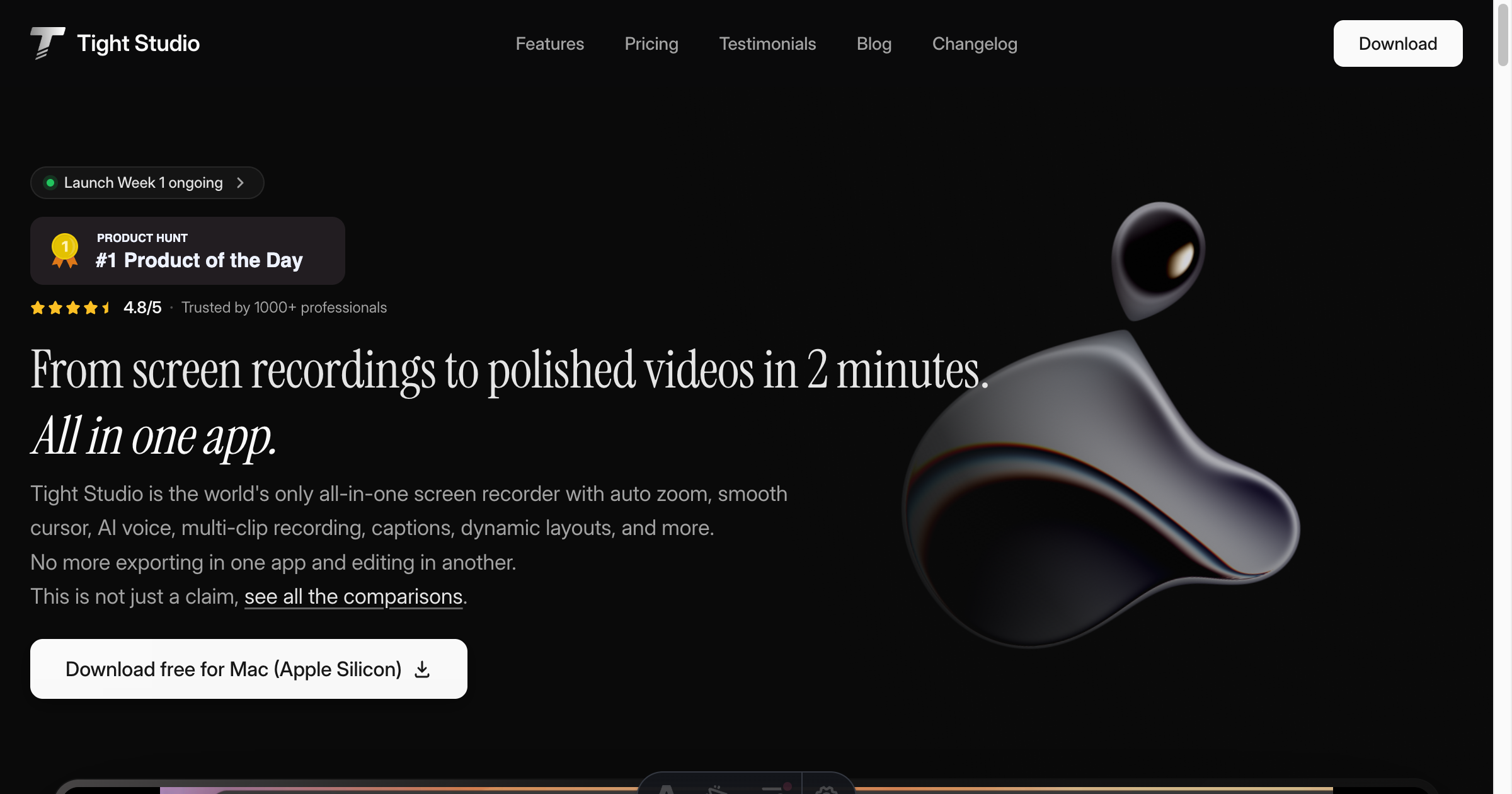
Tight Studio is one of the cleanest answers to this problem we have seen for SaaS brands. It is an all in one screen recorder and editor built for Mac (Apple Silicon), and it was designed from day one for product demos and software tutorials. The tagline says it well: from screen recordings to polished videos in 2 minutes, all in one app.
A few things stand out for SaaS influencer programs:
Smart zoom that follows your actions. Tight Studio automatically zooms into clicks and key UI moments as the creator records. No manual keyframing. No post production fiddling. The demo just looks like a senior designer edited it.
Professional captions in seconds. Pre designed caption styles drop in with one click. Creators can match a brand's caption look without learning typography. This alone solves the silent watching problem.
Crystal clear AI narration. If a creator has a noisy room, a thick accent they feel self conscious about, or a microphone that just died, Tight Studio can replace the voice track with natural sounding AI narration. The brief gets read cleanly even if the creator's audio is rough.
Multi clip recording and dynamic layouts. The creator can record their face, their screen, and supporting clips, then assemble them with picture in picture or split layouts. No exporting to iMovie. No reshooting because a clip is missing.
Background music, text overlays, and imported media. Everything you need to lift a flat recording into a polished demo lives inside the same window. The creator never has to learn a second tool.
Pricing built for creators. A free tier exists for testing, paid plans start at $6 per month, and the AI features sit on a $16 per month Pro tier. That is well within what creators absorb themselves, or what a brand can cover as a stipend.
Tight Studio is currently a #1 Product of the Day on Product Hunt, has a 4.8 out of 5 rating, and is trusted by 1,000+ professionals. For SaaS brands trying to professionalize creator output without writing a heavy production manual, that combination of features matters more than any of them on their own.
How to Roll Tight Studio Into Your Creator Program
Rolling a new tool into a creator program does not have to be heavy. The goal is to give creators a path of least resistance to better videos. Here is the workflow we recommend.
Start by adding Tight Studio to your creator brief. List it as the recommended screen recording tool, link to https://tight.studio/, and note that the free tier works for testing. For paid creators producing 2+ videos a month, offer to cover the Pro plan as a small line item. At $16 per month it is the cheapest production upgrade you will ever make.
Next, build a 30 second loom of your own showing the auto zoom and caption features in action. Send it to creators along with the brief. Most creators are visual learners. A short walkthrough beats a long doc every time.
Then, set deliverable specs that take advantage of the tool. Ask for one zoomed key frame on the most important click. Require captions to be on. Ask for a music bed at low volume. These small specs raise the floor on every submission.
Finally, treat the first round of creator videos as a learning sprint. Note which creators picked up the tool fast and which struggled. Pair the fast learners with bigger campaign slots. For creators who need more help, share examples and offer a quick async review on a draft cut before they finalize.
For more on running this kind of program well, see our step by step guide to running an influencer marketing campaign.
Where AI Fits In: Tight Studio Plus Bizkol
The deeper trend here is that the best SaaS influencer programs use AI on both sides of the partnership.
On the brand side, you use AI to find the right creators, write personalized outreach, and track campaign performance in real time. That is the AI influencer marketing shift that is reshaping how teams run creator programs. Bizkol sits in that layer. You discover the right creator in minutes, brief them with automated email flows, and measure ROI from a single dashboard.
On the creator side, the work shifts to making the actual content. AI editing, AI narration, and automatic polish features (the stuff Tight Studio is built around) take a creator from rough recording to publishable video in minutes. The creator stays the storyteller. The software handles the production layer that used to need a video editor.
When the two sides are aligned, the program compounds. You spend less time hand holding creators on production and more time scaling the partnerships that work. Your CAC drops, your content library grows, and your campaigns start to look like they came from a brand five times your size.
Conclusion
If your SaaS creator program is producing rough demo videos, the problem is rarely the creator. It is the tooling. Free screen recorders and unfamiliar editors set creators up to ship flat content that does not convert.
A tool like Tight Studio closes the gap by giving creators auto zoom, smooth cursor, captions, AI narration, music, and editing in one place. The result is the polished SaaS demo video your campaign needed all along. Pair that on the production side with an AI driven creator program on the brand side, and you have a content engine that actually scales.